The Request
A customer service team approached me seeking insight into their call handlers' sentiment and engagement during customer interactions. While their existing phone system (Netcall - Converse CX) included customer satisfaction surveys, it lacked a mechanism for call handlers to quickly and easily provide feedback to line managers about positive or negative experiences during calls.
Project Scope
I quickly identified several solutions based on existing systems:
-
Wrap-up codes in the phone system: We considered adding additional interaction wrap-up codes to the existing phone system. However, this proved impractical due to the already extensive list of codes in use.
-
Manual feedback via notes and messages: Call handlers could take notes and record unique call references for particularly positive or negative interactions, then share this feedback via email or direct message with their line manager. This approach was also impractical given the time investment and manual effort required in a busy department.
-
Automated feedback using APIs and webhooks: Leveraging the phone system’s available API and webhooks, calls could be filtered via JSON and trigger a Microsoft Teams message to the call handler once a call ended. This message could include one-click buttons and a comment box, allowing quick feedback. The responses then added to a Microsoft List for line managers to review.
Solution Implemented
After reviewing the options with the customer service team managers, the feedback on the automated Microsoft Teams solution was unanimous-they all agreed it was exactly what they had envisioned when they first approached me.
I then began implementing the solution using…
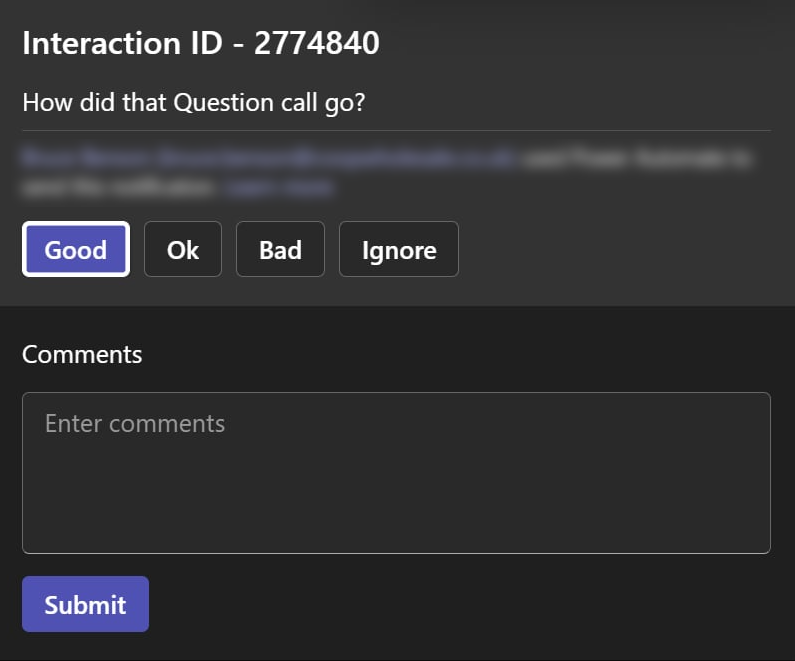
I was able to create an automated message after each interaction. This enabled the line managers to customize the options available to individual teams and tailor it their specific needs.
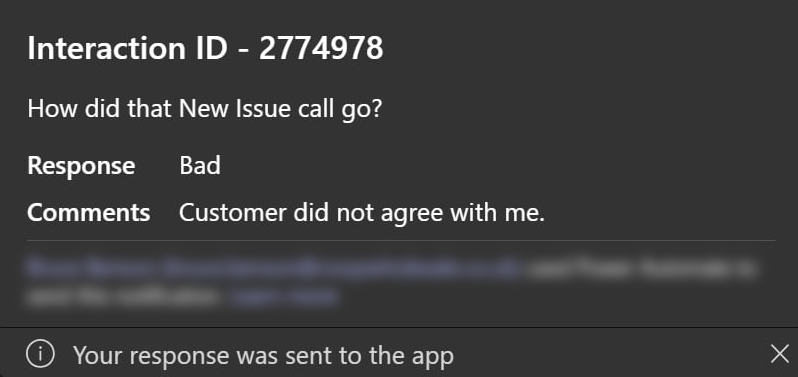
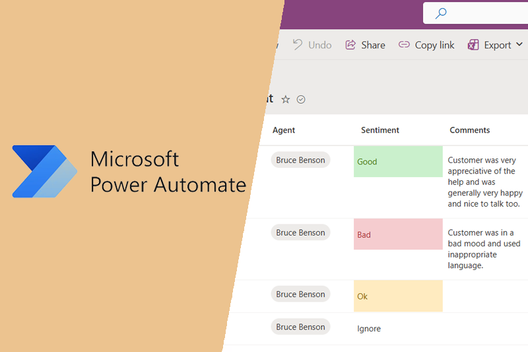
From there once a call handler had submitted their feedback using Microsoft Power Automate I update a Microsoft List.
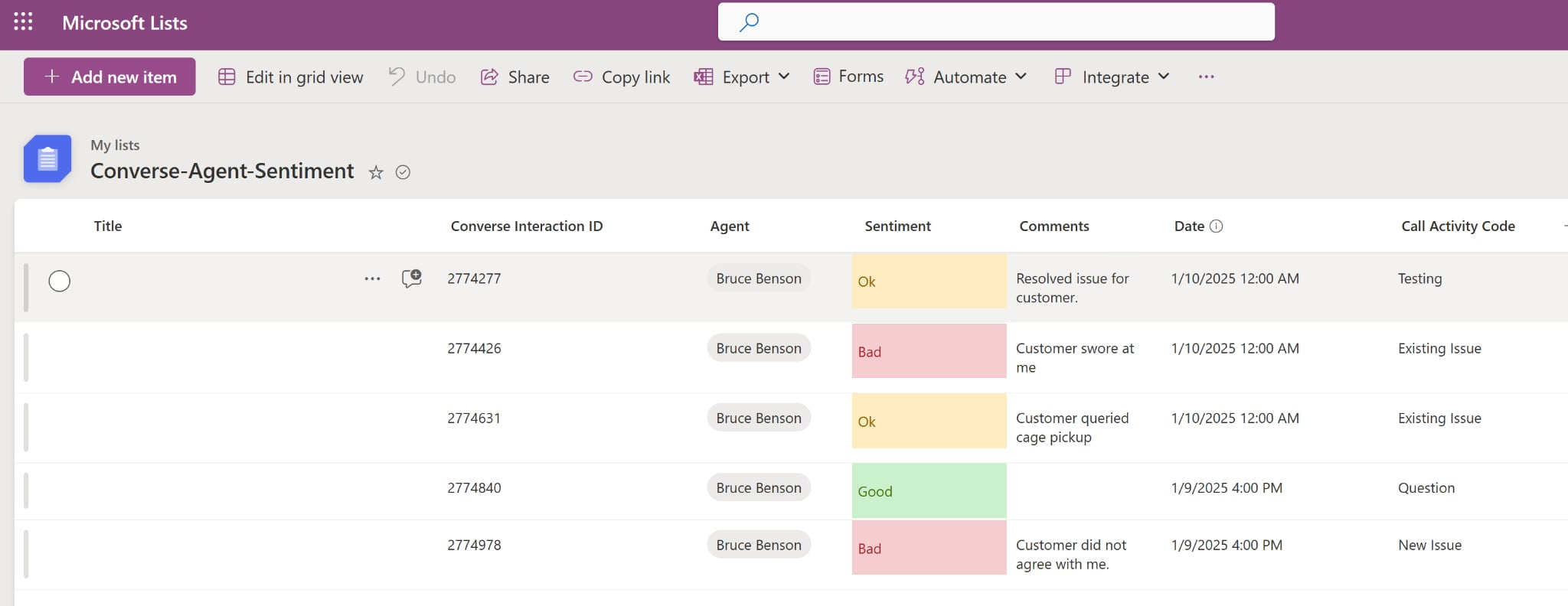
Once the information was contained in the list then I completed some end user training for the line managers on they would access the list and gave them examples for conditional formatting.
Technical Flow Breakdown
The automation was designed to be lightweight, scalable, and easy to maintain. Here's how the workflow operates:
-
Triggering the Feedback Prompt
- A webhook is triggered at the end of each call, using Netcall Converse CX’s API.
- This webhook initiates a Power Automate flow that sends a pre-formatted message to the call handler via Microsoft Teams.
- The message includes a sentiment scale (e.g., emojis or buttons) and a free-text field for additional comments.
-
Capturing the Response
- When the call handler submits their feedback, Power Automate parses the response payload.
-
Storing in Microsoft Lists
- The parsed data is then written to a Microsoft List, with columns for:
- Agent name
- Call timestamp
- Sentiment score
- Free-text feedback
- Unique call reference
- This list serves as a lightweight database for managers to review and analyze agent sentiment over time.
- The parsed data is then written to a Microsoft List, with columns for:
-
Review & Reporting
- Line managers can access the list directly or via a Power BI dashboard (optional enhancement).
- The feedback loop is immediate, allowing for real-time coaching or recognition.
This modular setup means the system can be adapted for other teams or feedback types with minimal rework. It also avoids the overhead of building a custom app or relying on manual data entry.
Lessons Learned & Next Steps
This project helped me expand and deepen my existing knowledge across all the products used-something I’m always striving to grow and improve.
There is a possibility that future developments in the Netcall Converse CX product will introduce similar features and functionality. However, I believe the level of customization and control offered by this solution makes it a strong long-term option for driving continuous improvements in customer service.