The Request
The business had recently rolled out Netcall Converse CX across five departments, ten operational teams, and 85 users.
As Converse CX is a SaaS platform, licensing costs and contractual agreements must be considered. It quickly became apparent that, due to the number of licenses and active users, we were at risk of exceeding our limits during peak usage.
To manage this, team managers were manually checking at the end of each day to ensure their staff logged out of the system-freeing up licenses for others who might need access the following day.
Project Scope
I explored the advanced features of Converse CX to identify potential solutions. The platform’s reporting capabilities were robust and included API access, allowing third-party tools to retrieve and utilize data.
I conducted several proof-of-concept tests using different report filters and data types to determine the most effective approach.
Solution Implemented
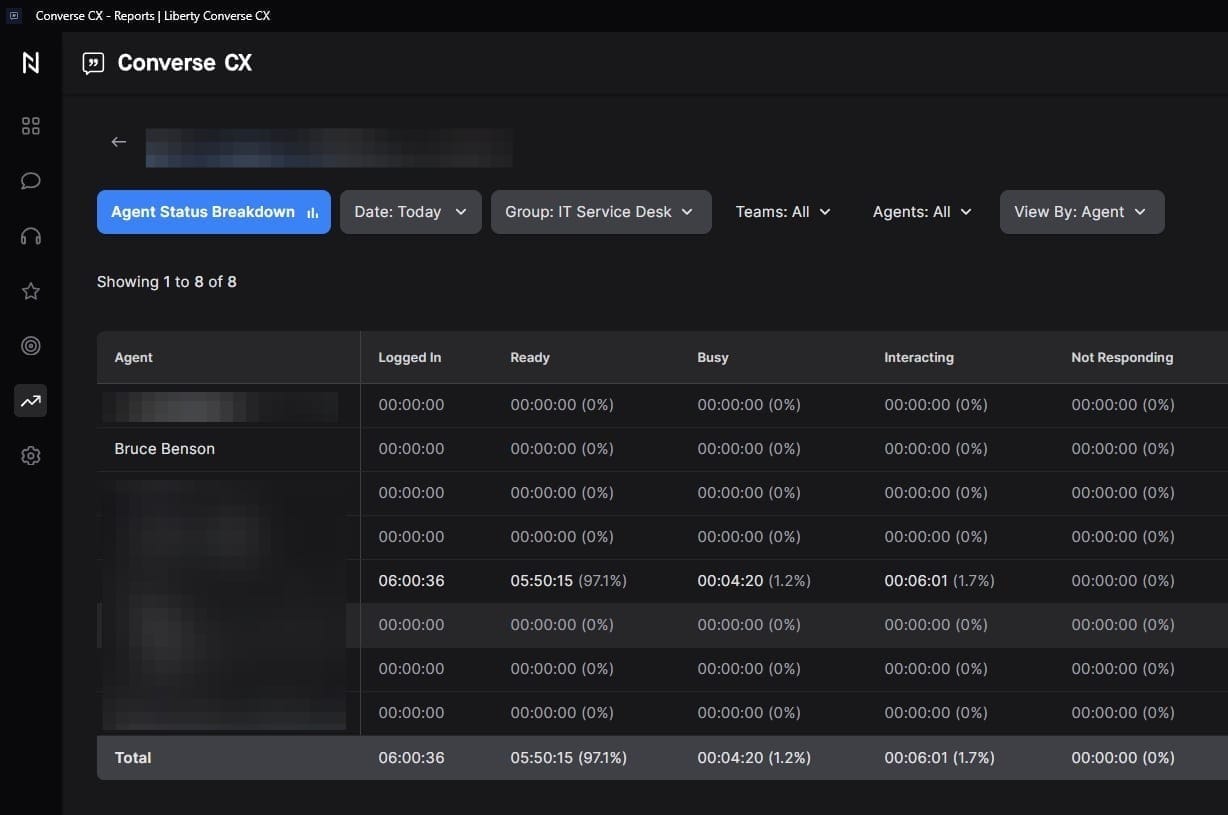
I selected the "Agent Status Breakdown" report within Converse CX and configured filters to show only the current day's data. I then enabled API access and transitioned to Microsoft Power Automate for further development.
In Power Automate, I built a recurring flow that runs outside business hours. The flow:
- Sends a HTTP GET request to the Converse CX API to retrieve the report.
- Parses the JSON response and filters for users who are still logged in.
- Logs these entries-user name, time, and department-into a Microsoft List for auditing and manager follow-up.
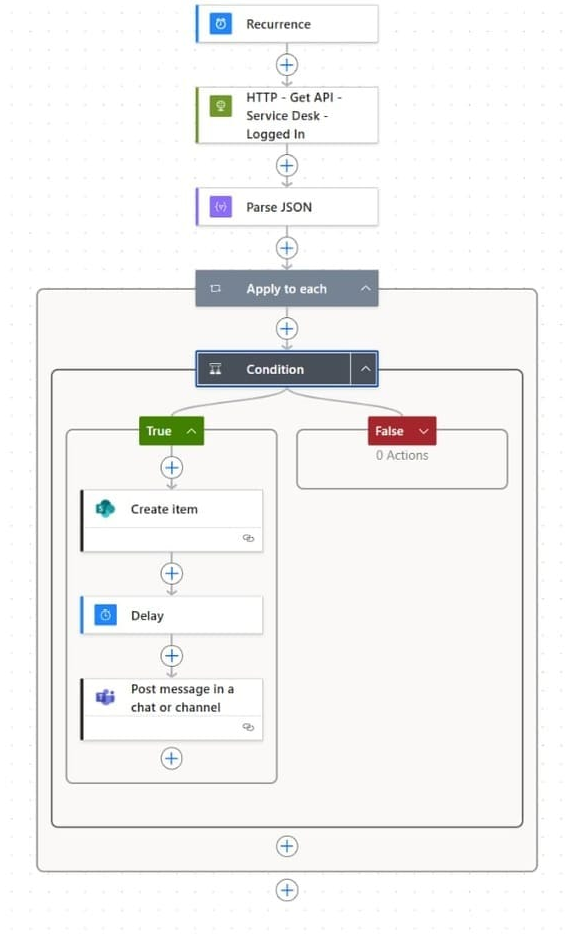
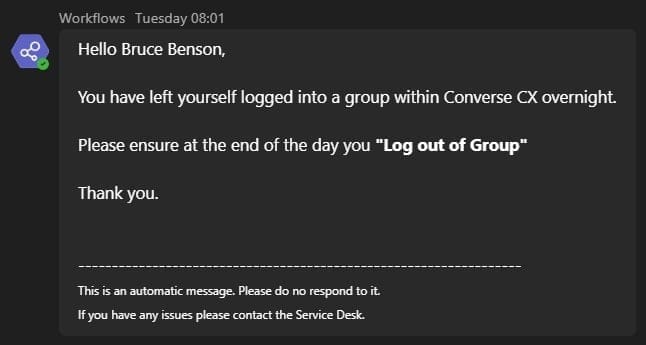
At 08:00 the next working day, the flow sends a Microsoft Teams message to each user who remained logged in, reminding them to log out of Converse CX at the end of their shift.
Lessons Learned & Next Steps
Lessons Learned
- Manual processes are unsustainable at scale. Relying on team managers to manually check user logouts daily was inefficient and prone to error.
- Power Automate is highly effective for recurring compliance tasks. The scheduled flow not only retrieved and filtered user data but also logged it for audits and sent targeted reminders-demonstrating its versatility for operational workflows.
- User behavior changes with timely, automated nudges. Despite prior training and manager reminders, it was only after implementing daily Teams notifications that logout compliance improved. This highlights the impact of well-timed, personalized communication.
Next Steps
- Broaden automation to other departments or platforms. If other SaaS tools face similar license constraints, replicate this model to monitor and manage usage across the organization.
- Introduce escalation workflows. For repeated non-compliance, consider adding automated escalation to managers or HR, ensuring accountability and reinforcing policy adherence.
- Monitor impact and iterate. Regularly review audit logs and user feedback to refine the flow, adjust reminder timing, and improve message clarity.