“Bruce has a way of making IT understandable, relatable—and dare I say fun. His people skills are a real asset to the business.”
The Request
I was approached by a small events team consisting of two members, one of whom works part-time. They are responsible for planning both internal and external events, but were seeking a more efficient approach specifically for internal events. Their main challenges included:
- Ensuring Risk Assessments are completed in a timely manner
- Communicating with multiple points of contact across the business
- Ensuring event requirements needs and specific requests are met.
These tasks become especially complex when planning events with high attendance, involving both internal staff and external participants. The team needed a streamlined solution to reduce manual effort and improve coordination.
Project Scope
The team initially requested something like a website with a form that could be filled out. However, after discussing their needs in more detail and understanding the full scope of their requirements, I identified a more suitable solution using the tools available to me at the time: Microsoft SharePoint, Lists, and Power Automate.
Solution Implemented
I created a proof of concept and presented it to the team, which included a SharePoint site and basic document templates. The proposal was quickly approved, and the team was enthusiastic about moving forward.
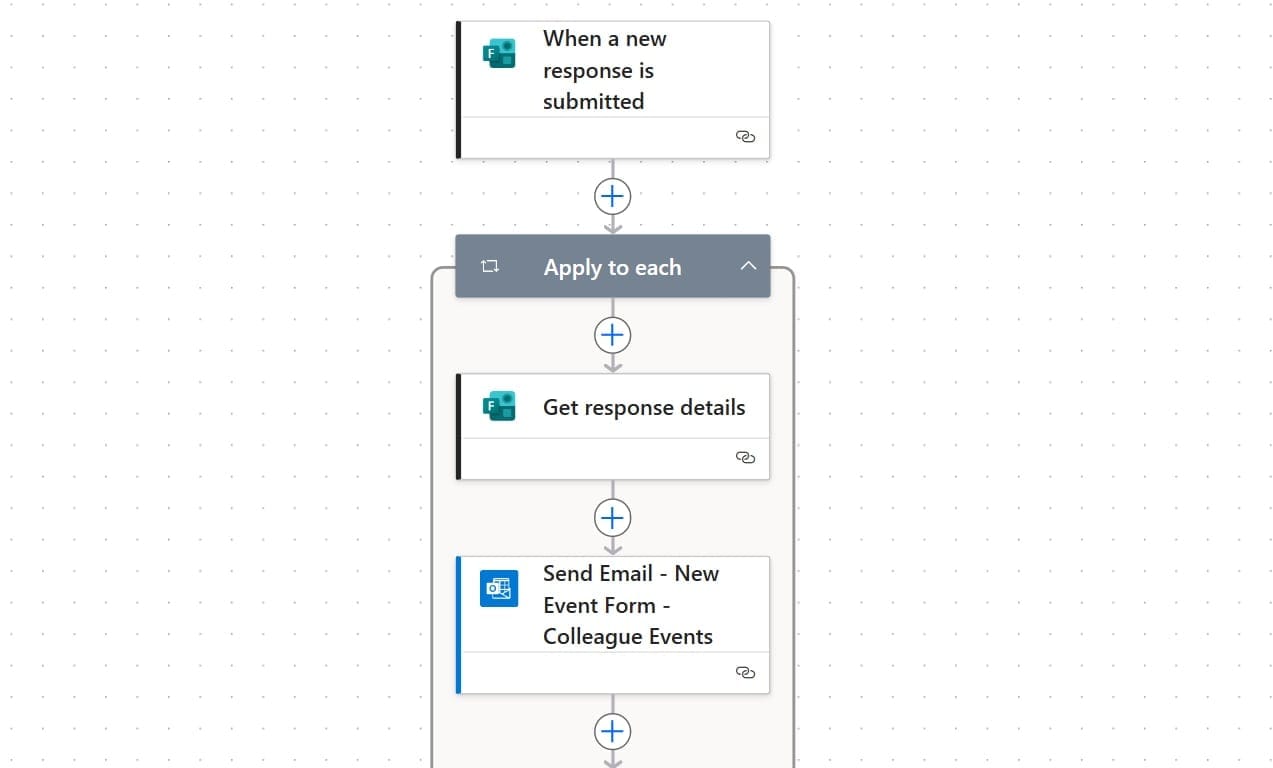
I then developed the full solution, including the process design, refined document templates, SharePoint site structure, and Power Automate flows. Throughout the build, I consulted with the team to clarify finer details-such as how they preferred to be notified (via email or chat) and specific requirements around Risk Assessment forms, particularly in relation to Health & Safety protocols and time-sensitive deadlines.
Tools used:
- Microsoft Office
- Microsoft Power Automate
- Microsoft SharePoint
- Microsoft Lists
- Microsoft Outlook
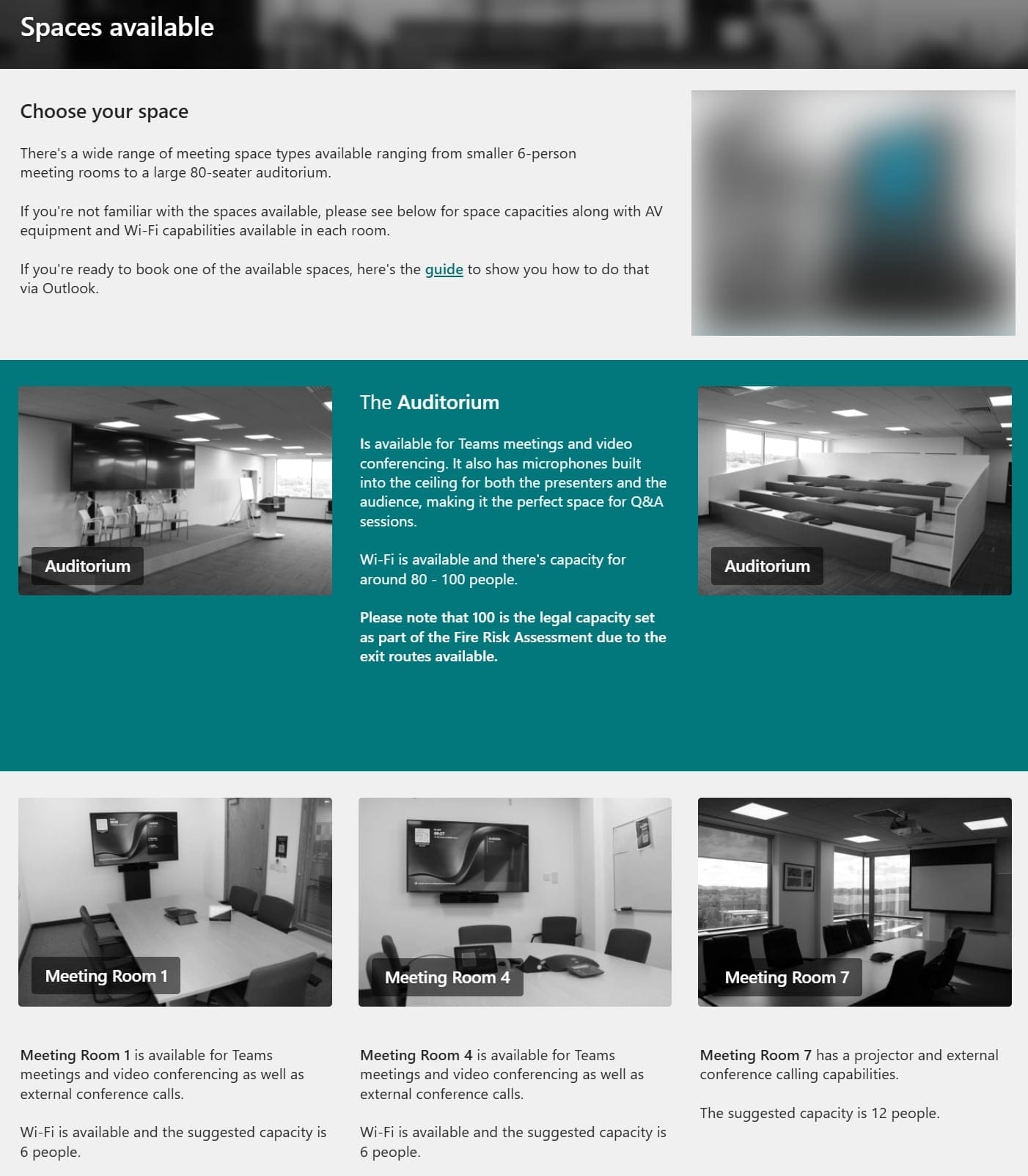
Working with the events team, we built a central hub to support event planning. It covers everything from deciding if an event is needed, booking guidance, available office spaces, next steps after booking, and help pages to support colleagues throughout the process.
Process Flow
Lessons Learned & Next Steps
During this project, I strengthened my project management skills and led training sessions for non-technical users in Microsoft SharePoint, Lists, and Power Automate-introducing unfamiliar concepts and empowering them with the confidence to make future updates independently.
Upon completion of this project, I was nominated and subsequently selected by a panel of colleagues as Colleague of the Month.
Below are a few highlights from the nomination and deliberation process:
“From the moment I approached him… he has only ever been supportive and encouraging, with nothing ever being too much trouble and no question too silly.”
“Bruce has a way of making IT understandable, relatable-and dare I say fun. His people skills are a real asset to the business.”
“He used this project not just to solve a problem, but to demonstrate what’s possible to other departments.”