The Request
Meeting rooms often suffer from technical issues-faulty screens, connectivity problems, missing adapters, sound glitches, or Microsoft Teams failures. These disruptions frequently go unreported, especially during live sessions when users don’t have time to log a formal ticket.
These issues are often time-sensitive, arising during live sessions when users don’t have time to log a formal ticket or locate support channels.
The business needed a faster, more intuitive way for colleagues to report issues directly from the meeting room, enabling the Service Desk to respond in real time and improve overall service quality.
Project Scope
To address this challenge, I proposed a mobile-first, browser-accessible solution that empowers users to report issues instantly via QR codes placed in each meeting room.
Scanning the QR code opens a Microsoft Form tailored for quick issue logging. Once submitted, the system automatically creates a Service Desk ticket and sends an alert to the support team via Microsoft Teams, ensuring immediate visibility and response.
Success Criteria:
- QR codes deployed across all meeting rooms
- Active usage by staff during meetings
- Reduction in unreported or delayed issues
- Improved response time and user satisfaction
Solution Implemented
This project combined an easy to use interface and user experience with backend automation to streamline reporting and escalation:
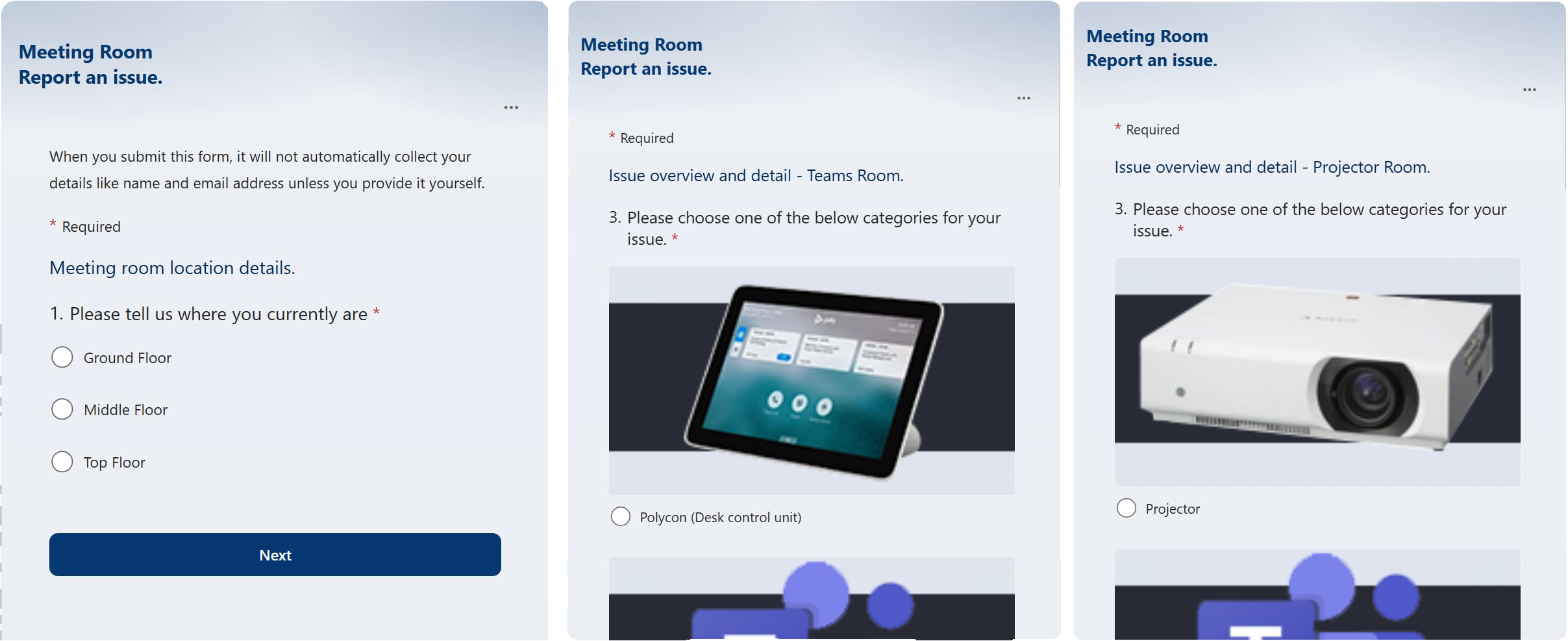
Microsoft Forms: Designed a clean, mobile-friendly form with pre-filled room details and filtered options based on the location and the specific hardware in the meeting room.
Branching forms were utilised to allow users to quickly select from hardware in the specific room they are in. Speeding up issue reporting and getting help and a resolution as soon as possible.
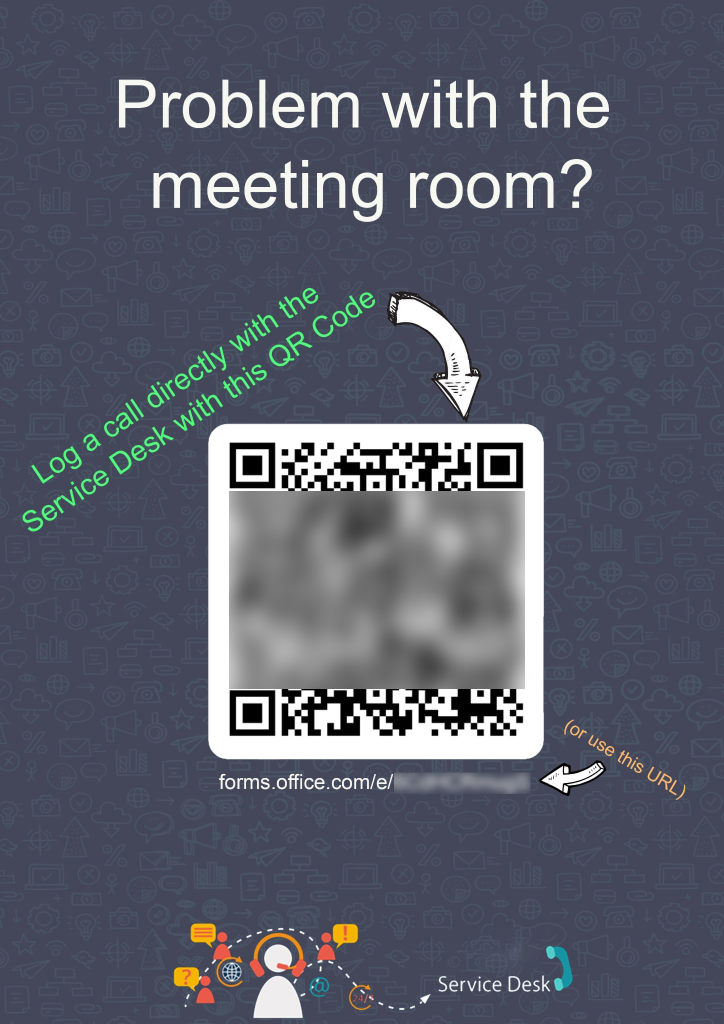
QR Code Posters: Created visually clear posters with branded QR codes and simple instructions, placed in visible areas of each meeting room.
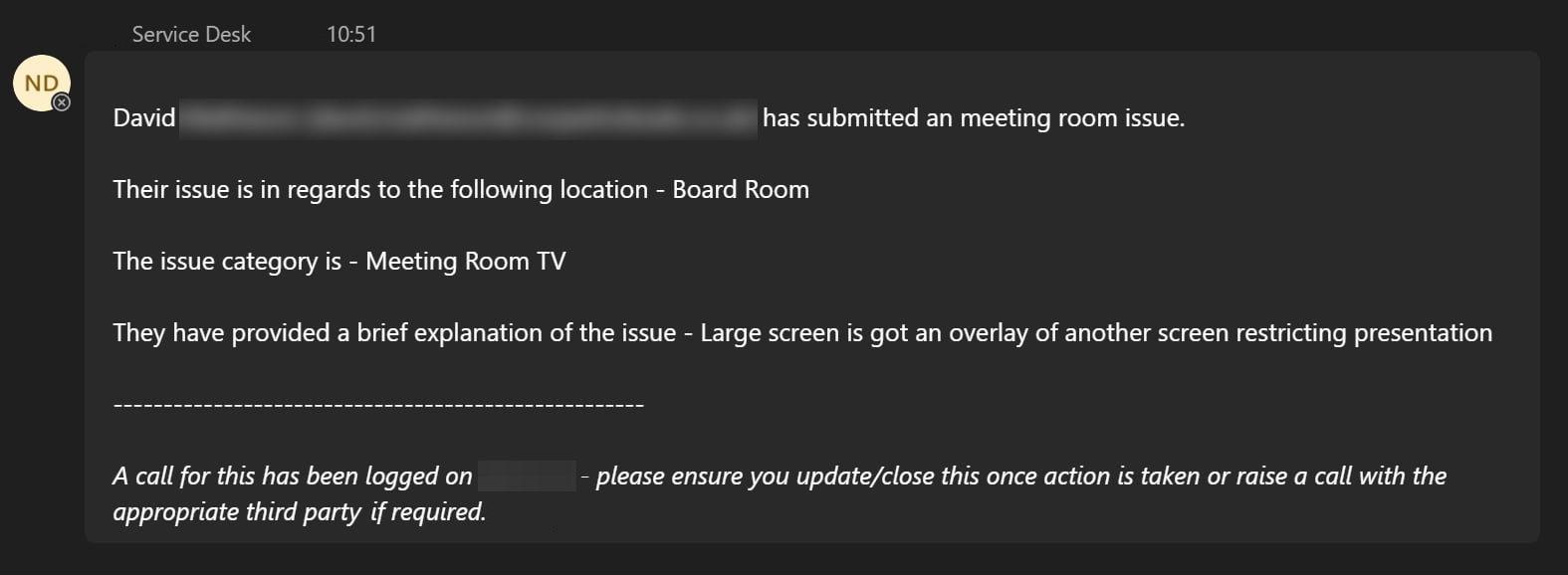
Automated Teams Alerts: Integrated Power Automate to send instant notifications to the Service Desk channel in Microsoft Teams, flagging urgent issues.
An instant message is sent to the support team including user details and issue context. This allows a response whilst the meeting is ongoing to allow for as little disruption as possible
Automated Ticket Logging: Connected the form to our ticketing system via API/webhook to auto-generate support tickets with user details and issue context.
Lessons Learned & Next Steps
- User Experience Matters: Simplicity is key. The fewer clicks and fields, the more likely users are to engage-especially under time pressure or mid-meeting.
- Visibility Drives Adoption: Clear signage and internal comms were essential to ensure staff knew the system existed and felt confident using it.
- Automation Reduces Lag: Real-time alerts via Teams dramatically improved response time compared to traditional email-based workflows.
Since launch the system has logged over numerous issues with an average response time of 2 minutes. This project shows how small improvements can have a meaningful impact and although small can quickly compound into larger support gains and overall end user happiness and engagement.